Features
Everything your brokerage runs on, in one place.
A CRM, a phone system and a system of record that fills itself in from your agents' calls, texts and closing mail.
It writes the CRM
Every conversation turns into the work agents would otherwise type.
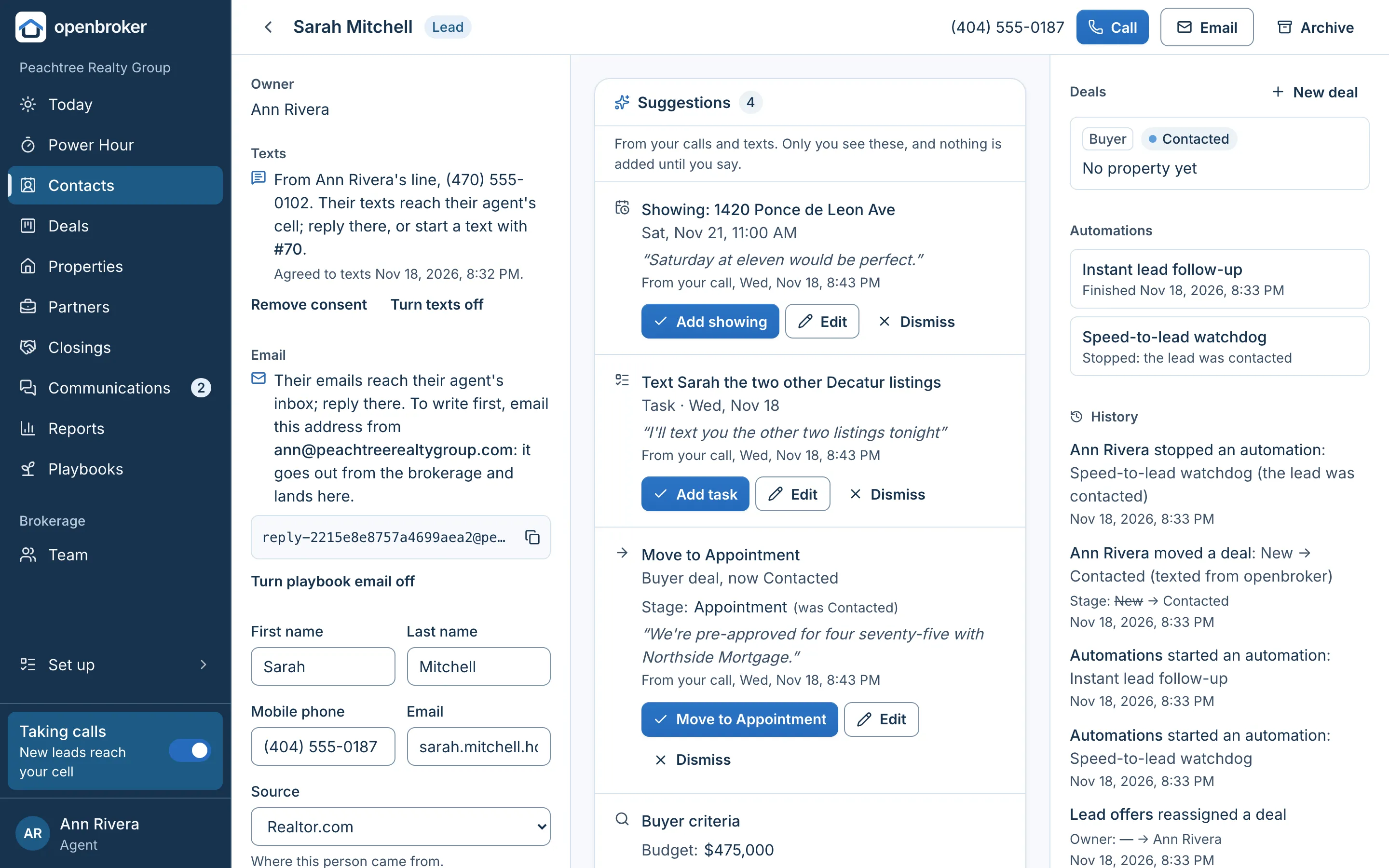
Calls and texts on the brokerage's numbers are recorded and kept. openbroker reads them and suggests the updates. Agents tap Add.
Call recaps and transcripts
Every answered call is recorded and transcribed, with names in place of channels. A short recap lands on the contact's timeline.
Suggestions from calls and texts
Tasks the agent promised, showings with their day and time, new deals, stage changes, contact details and buyer criteria.
Firm or maybe
Each suggestion quotes the words it came from. “Saturday at two works” comes ready to add; “maybe Saturday” asks the agent first.
The after-call screen
In the iPhone app, a call's screen turns into its recap and suggestions a minute or two after it ends, with a notification.
Texts drafted for them
Agents pick what a text is for (Reply, Introduce me, Find a time, Next step, Follow up, Check in) and a draft fills the box. Shorter, More formal or Try again rewrites it.
Follow-ups for a deal
Draft a follow-up as a text or an email from the deal: its stage, the home, open tasks and the latest conversations.
Closing mail, read and filed
Each agent gets a forwarding address. Lender, inspector and attorney emails are read, attachments included, filed on the right deal, and turned into suggested dates and steps.
Wire fraud warnings
Mail that mentions wiring money puts a red warning on the deal: confirm by phone with the closing attorney's number already on file.
The agent decides
Nothing changes a record until the agent taps Add, and the history notes the suggestion it came from. A broker can turn AI off for the whole brokerage.
Phones and texting
A phone system built for portal leads.
Each lead source gets its own number, each agent a direct line, and every call and text lands on the right contact. The numbers belong to the brokerage.
A number for each lead source
List it on Realtor.com, your website or your signs. The number dialed tells openbroker where the lead came from.
Ring group: first to press 1
Lead calls ring every agent taking calls at once. Each hears who's calling and presses 1 to accept, so a voicemail can't take the lead.
Repeat callers reach their agent
Someone who already has an agent rings that agent first, then the primary broker.
AI receptionist
After hours or when nobody answers, it takes the caller's name, what they're after, price range, timeline, financing and the best time to call back. It never claims to be a person.
Every call recorded
Recordings and transcripts go on the contact's timeline. A recording notice is on for brokerages in all-party-consent states, and any broker can turn it on.
Click-to-call
Call on a contact rings the agent's cell, they press 1, and openbroker calls the lead from the brokerage's number, recorded and logged.
A direct line for every agent
The brokerage owns it. Missed calls go to voicemail, and the agent gets the transcript as a text they can reply to.
Texts on their own phone
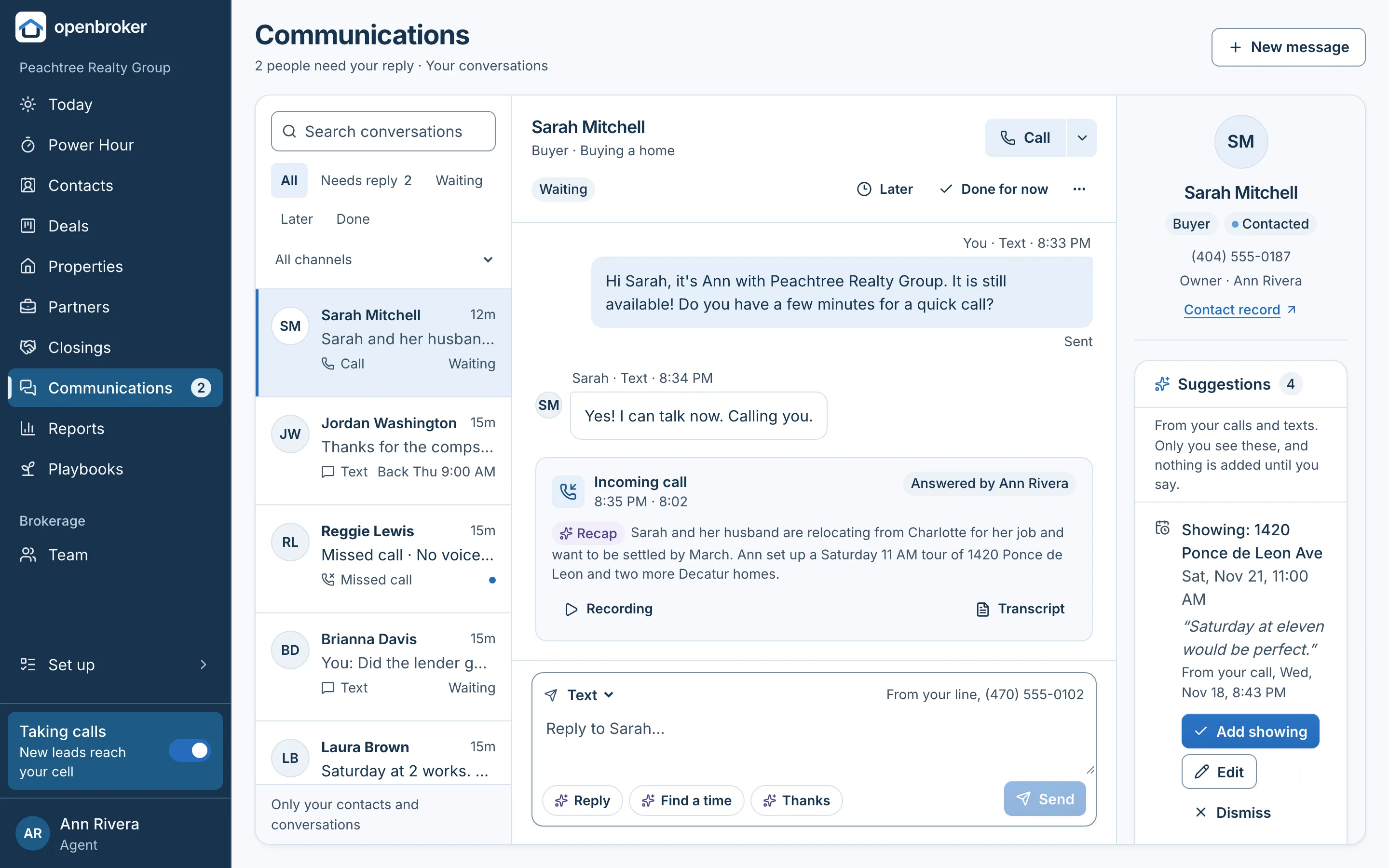
Texts from contacts reach the agent's cell or the iPhone app, and the agent's reply goes out from the brokerage number.
Communications on the web
One conversation per contact, with calls and texts together, what needs a reply, and calls through the computer's audio.
Texting registration done for you
We file each brokerage's carrier registration (10DLC) and publish its texting privacy policy, terms and opt-in page. STOP is always honored.
Leads
Every lead reaches someone, fast.
Web leads are offered to the team, the first to claim one gets it, and openbroker keeps watch until someone calls.
Lead form and “Text us” button
Two snippets add them to the brokerage's website, with steps for WordPress, Wix and Squarespace.
First to claim it gets it
New web and text leads are texted to everyone taking calls with a claim link. Unclaimed after 10 minutes (by default), they go to the primary broker.
An instant thank-you
New leads who agreed to texts get a thank-you from the brokerage, naming their agent.
Speed-to-lead reminders
If nobody has reached a new lead, its agent gets a reminder at 5 minutes and the broker at 15 (by default), counting business hours.
Web leads answered by email
Agents answer from their own mail app. It goes out from the brokerage's address, and the lead's replies come back to them.
Referrals
Record who referred whom. openbroker reminds the agent to say thank you, and again when the referral closes.
Referral partners
Lenders, attorneys, inspectors and more, shared across the brokerage, with a quarterly reminder to keep in touch.
Open houses
A sign-in page with a QR code for the door. Visitors become contacts, and the open house follow-up starts on its own.
What each source costs
Record what you spend on each lead source and see what it returned in closed business.
Playbooks
Follow-up that runs itself, in the agent's voice.
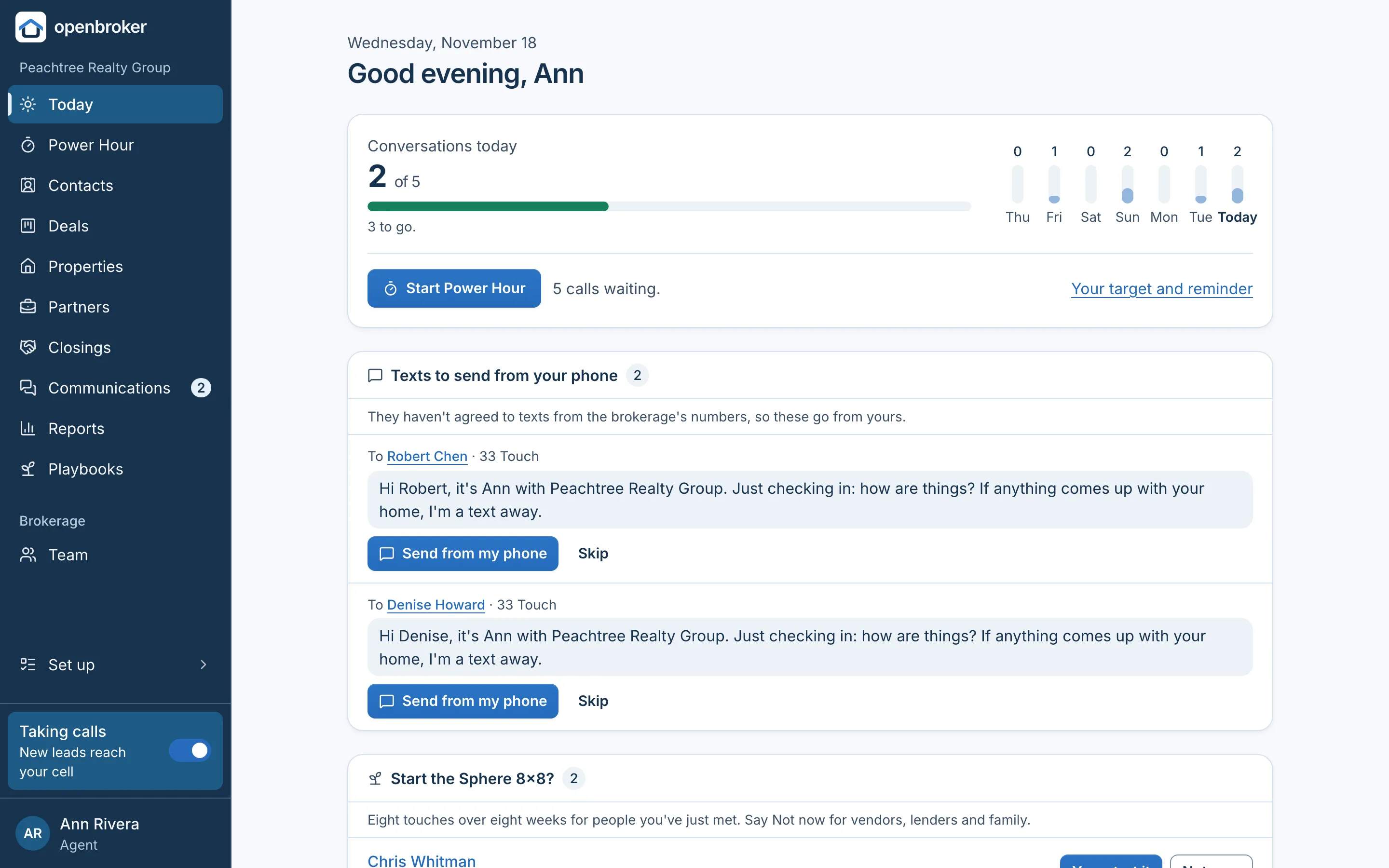
Proven methods run on each agent's own contacts. Texts and emails go out to people who agreed to them; calls, notes and pop-bys land on Today.
Sphere 8x8
Eight touches in eight weeks for someone new: a handwritten note, three texts, three emails and a call on day 49.
33 Touch
A year of touches for the agent's sphere, including birthdays, holidays and spring and fall pop-bys.
Past-client cadence
Every year after a closing: an email each quarter, and a text and a call on the closing anniversary.
Open house follow-up
Eleven touches over six weeks for everyone who signs in, until they reply, set an appointment or opt out.
Power Hour
A guided hour of calls, one person at a time, with why each one is on the list and a count of conversations.
One-tap sends
A text to someone who hasn't agreed to texts waits on Today, and the agent sends it from their own phone.
Brokerage automations
Instant lead follow-up, the speed-to-lead watchdog and post-closing follow-up: a review link three days after closing and a home-anniversary check-in a year later. Brokers edit the steps and timing.
Deals and closings
From first call to closing day.
Contacts, homes, deals and closings in one place, with the dates and steps that get a contract to closing.
A pipeline agents recognize
Buyer and seller deals move from New, Contacted and Appointment to Active, Under contract and Closed, or Lost with a reason.
One record per home
Properties are shared across the brokerage, so nobody ends up with two records for the same address.
Under contract
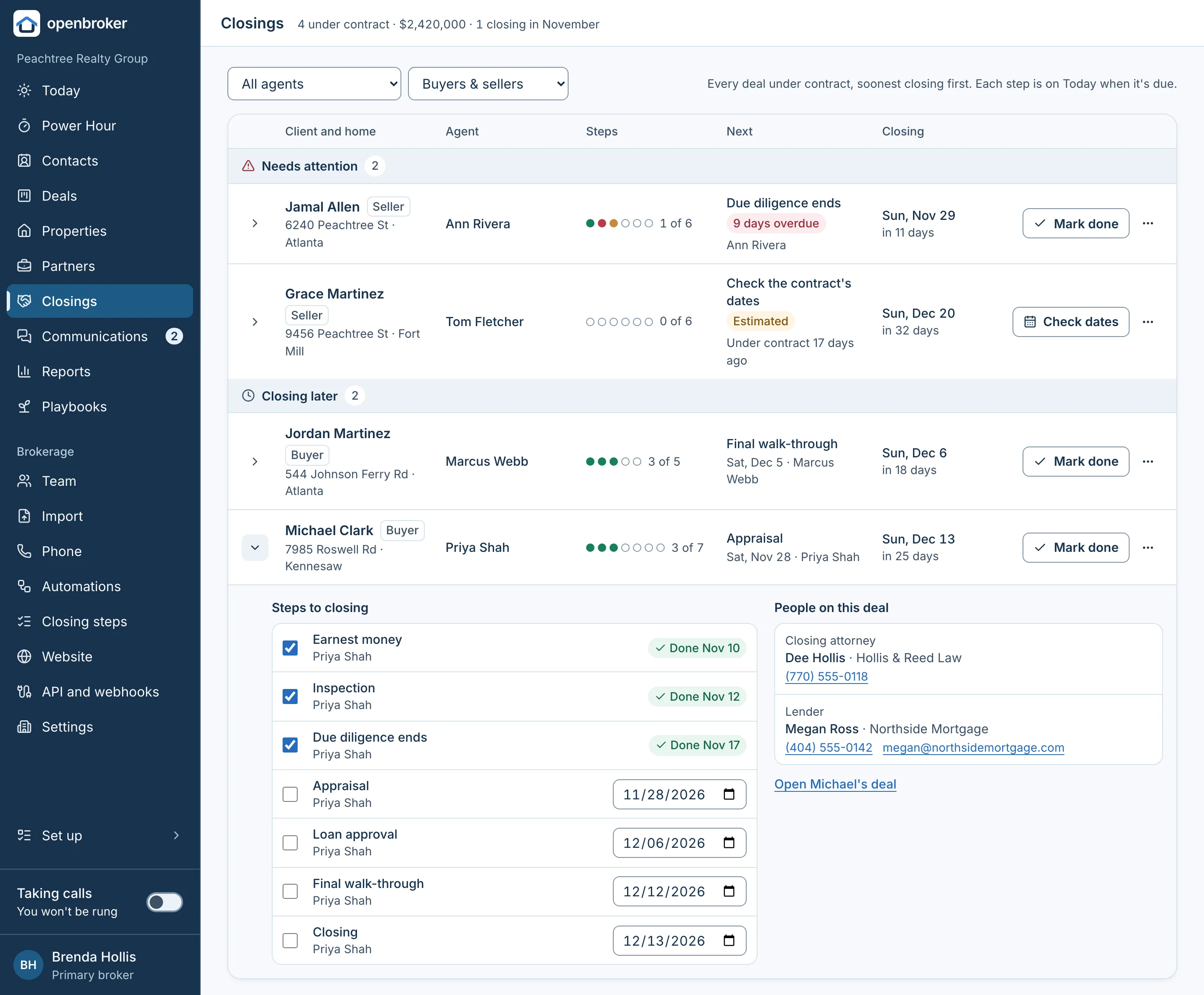
The binding agreement date, due diligence, closing date and financing, with steps to closing (earnest money, inspection, appraisal, walk-through) as dated tasks.
Closings at a glance
Every deal under contract, grouped into needs attention, closing this week and closing later, with the next step and who has it.
People on the deal
Co-buyers, and partners like the lender, closing attorney and the other side's agent.
Commission, computed and kept
Sale price, commission, referral fee and split give the agent's and the brokerage's dollars, stored with the closing.
Buyer criteria
Price range, beds, baths, areas, home types, must-haves, deal-breakers and pre-approval on each buyer's deal.
For brokers
See everything. Keep everything.
Brokers see the whole brokerage, and the record stays complete because nobody has to fill it in.
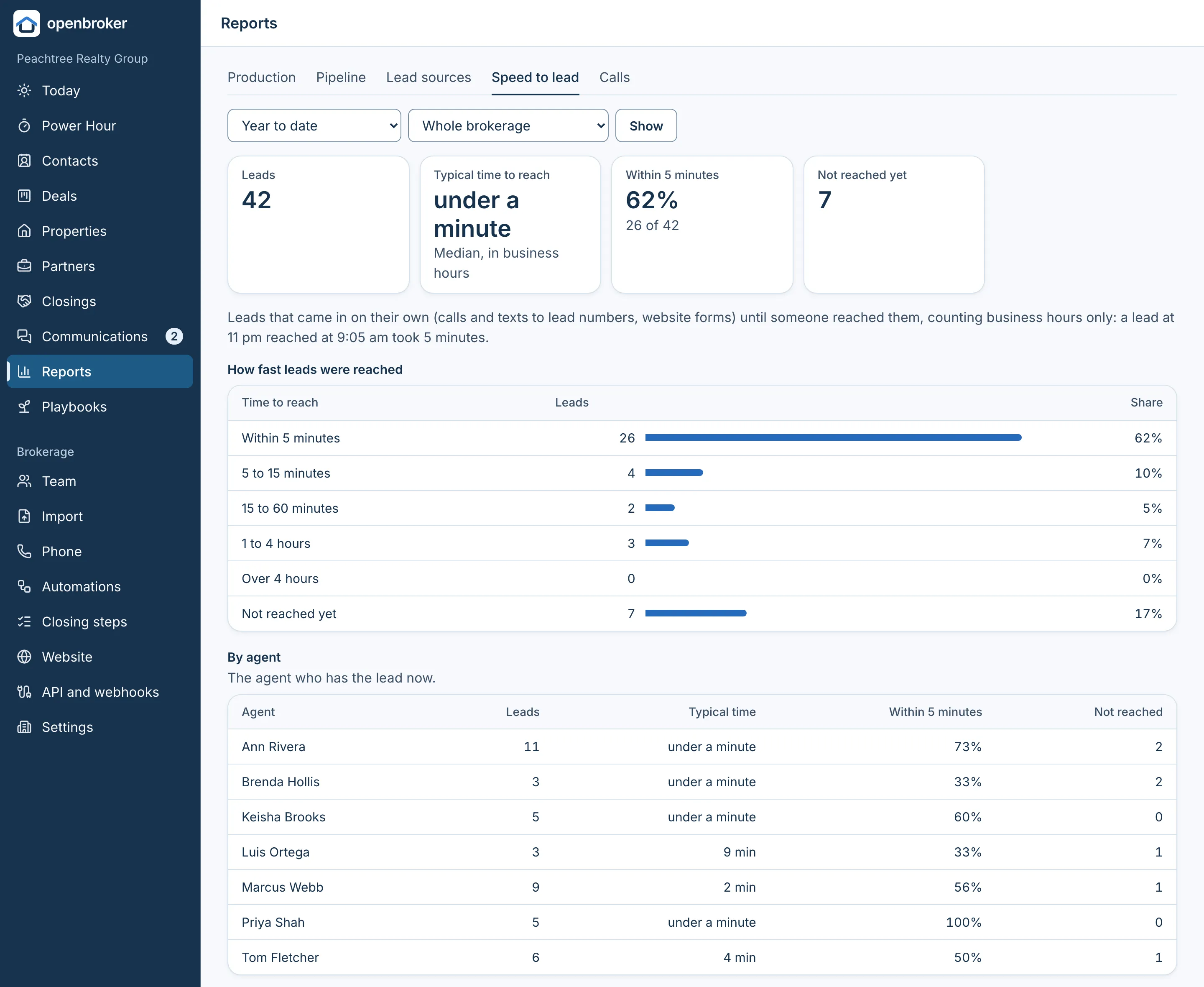
Roles that fit a brokerage
Brokers see and change everything. The office admin sees and assigns every record. Agents see only what they own.
Reports
Production, pipeline, lead sources and what they cost, who refers you, speed to lead and how calls were answered.
Every change on the record
Who changed what, when, before and after. Nothing is deleted, only archived.
Bring your spreadsheets
Import contacts and past closings from CSV files, and export any list.
When an agent leaves
Their contacts and deals are reassigned, and a broker can hand their direct line to whoever takes over.
Download everything
Records, history, calls, texts and emails in one download, whenever a broker wants it.
Connections
Works with the tools you already use.
Connect an AI assistant, or send leads and events between openbroker and other tools.
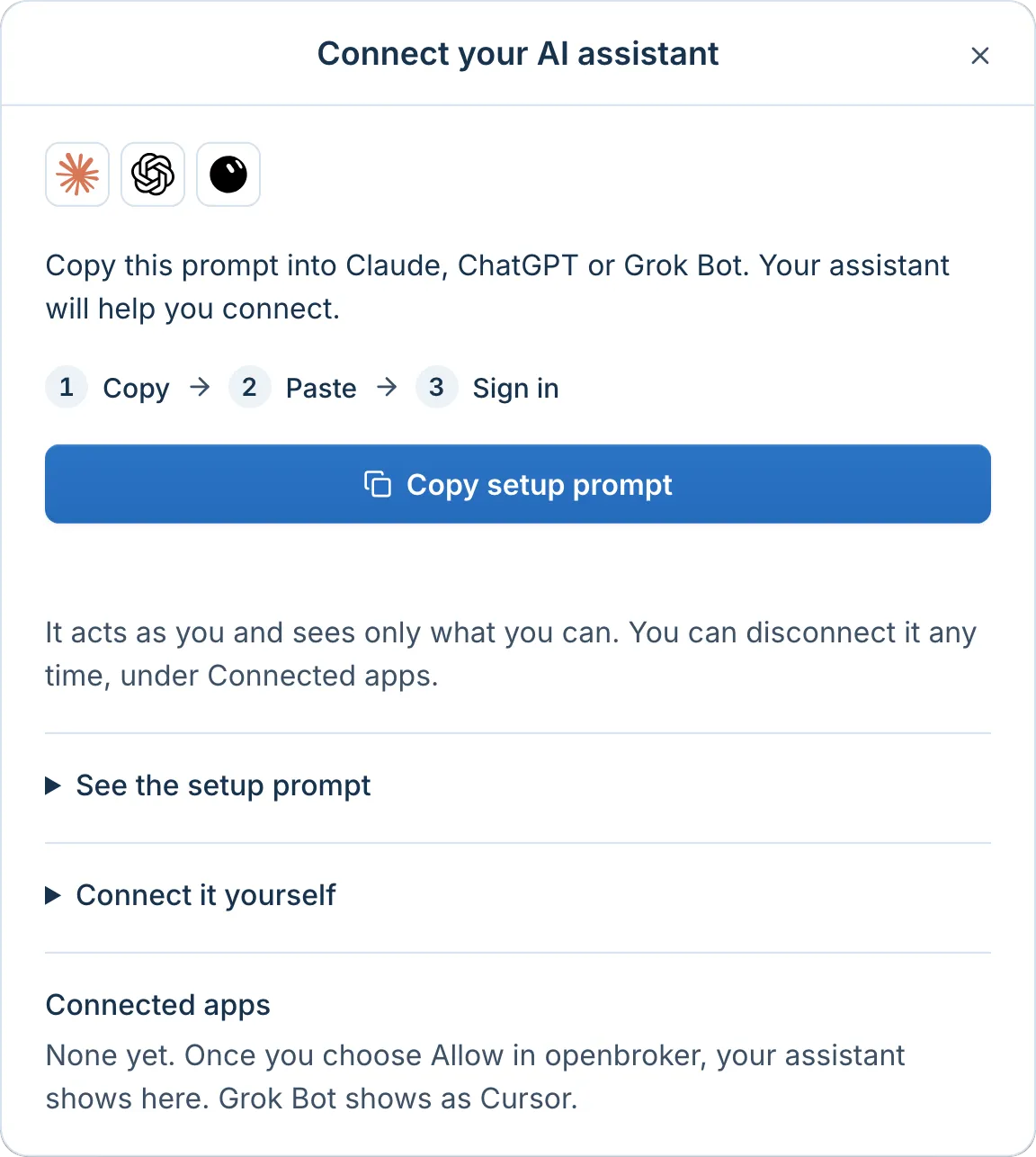
Claude, ChatGPT and Grok Bot
Anyone can connect their AI assistant with their own sign-in and ask about their leads, move deals and log calls, seeing only what they can.
Leads from other forms
Send leads from other websites and tools into openbroker, offered to the team like any web lead.
Zapier and webhooks
Brokers make API keys and signed webhooks for new leads, calls, stage changes, closings and opt-outs.
Contacts on their phone
Each agent's contacts sync to their iPhone or Mac, so names show when they call or text.